LLMSystemTrading: Multi-Agent Forex Trading System
AI-powered automated forex trading system with a multi-agent LLM pipeline, APScheduler 24/7 cron jobs, MT5 bridge, and real-time WebSocket dashboard.
The Problem
Running forex strategies on MetaTrader 5 means staring at charts, manually deciding when signals are valid, and keeping the terminal open around the clock. Switching between MT5, a spreadsheet for tracking performance, and various news feeds is friction-heavy and doesn't scale past one account. There was no way to ask an LLM "should I enter this trade?" and get a traceable, logged answer.
LLMSystemTrading replaces that manual loop with a fully automated pipeline: LLM agents research the market, generate signals, route orders to MT5, and log every decision to a queryable database — with a full-featured dashboard to monitor and control it all.
System Architecture
The frontend and backend run in Docker alongside three databases. MT5 runs natively on Windows — python-mt5 bridges the gap over a local socket. Nginx routes all traffic: /api/** proxies to FastAPI, everything else hits the Next.js SSR server.
Multi-Agent LLM Pipeline
Each scheduled run passes through a sequential agent chain:
| Stage | Agent | Output |
|---|---|---|
| 1. Research | Market Research Agent | News sentiment, macro context |
| 2. Analysis | Market Analysis Agent | Chart pattern + indicator summary |
| 3. Signal | Signal Generation Agent | BUY / SELL / HOLD + confidence score |
| 4. Execution | MT5 Bridge | Order placed, ticket logged |
| 5. Audit | LLM Audit Logger | Full token trace written to llm_calls + ai_journal |
APScheduler triggers the chain on configurable cron intervals per strategy. Every LLM call is logged with provider, model, token count, cost, and the full response — visible in the LLM Analytics and LLM Usage pages.
Features
| Page | Purpose |
|---|---|
| Dashboard | Live positions, P&L, account equity, WebSocket clock |
| Accounts | MT5 account credentials and trading config per account |
| Strategies | Define strategies with LLM overrides and risk parameters |
| Backtest | Run and compare historical backtests with full metrics |
| LLM Analytics | Per-agent signal accuracy, confidence distribution |
| LLM Usage | Token consumption and cost breakdown by provider/model |
| Schedule | View and control APScheduler cron jobs |
| Pipeline Logs | Step-by-step execution trace for every pipeline run |
| News | Aggregated news feed used by research agents |
| Analytics | Aggregate P&L, win rate, drawdown charts |
| Trades | Full trade history with entry/exit/ticket details |
| Settings | Global risk settings, Telegram alerts, LLM provider keys |
| Storage | QuestDB candle data storage management |
| System Usage | Host CPU, memory, and disk utilisation |
Key Technical Decisions
| Decision | Chosen | Rejected | Why |
|---|---|---|---|
| Time-series storage | QuestDB | PostgreSQL for all | OHLCV candle inserts via InfluxDB line protocol are orders of magnitude faster in a columnar TSDB |
| Job scheduling | APScheduler | Celery + RabbitMQ | Single-machine deployment; APScheduler runs in-process with zero infra overhead |
| MT5 connection | python-mt5 (native) | Docker container | MT5 is a Windows application; it cannot run inside a container |
| LLM provider | Abstracted (Anthropic / OpenAI / Gemini / OpenRouter) | Hard-coded provider | Allows hot-swapping models per task without code changes |
| LLM key storage | Fernet-encrypted in DB | Plain env vars | Keys survive container rebuilds; displayed masked in the UI |
| Frontend state | Zustand | Redux / React Query | Lightweight, no boilerplate; fits a 27-page internal dashboard |
Screenshots
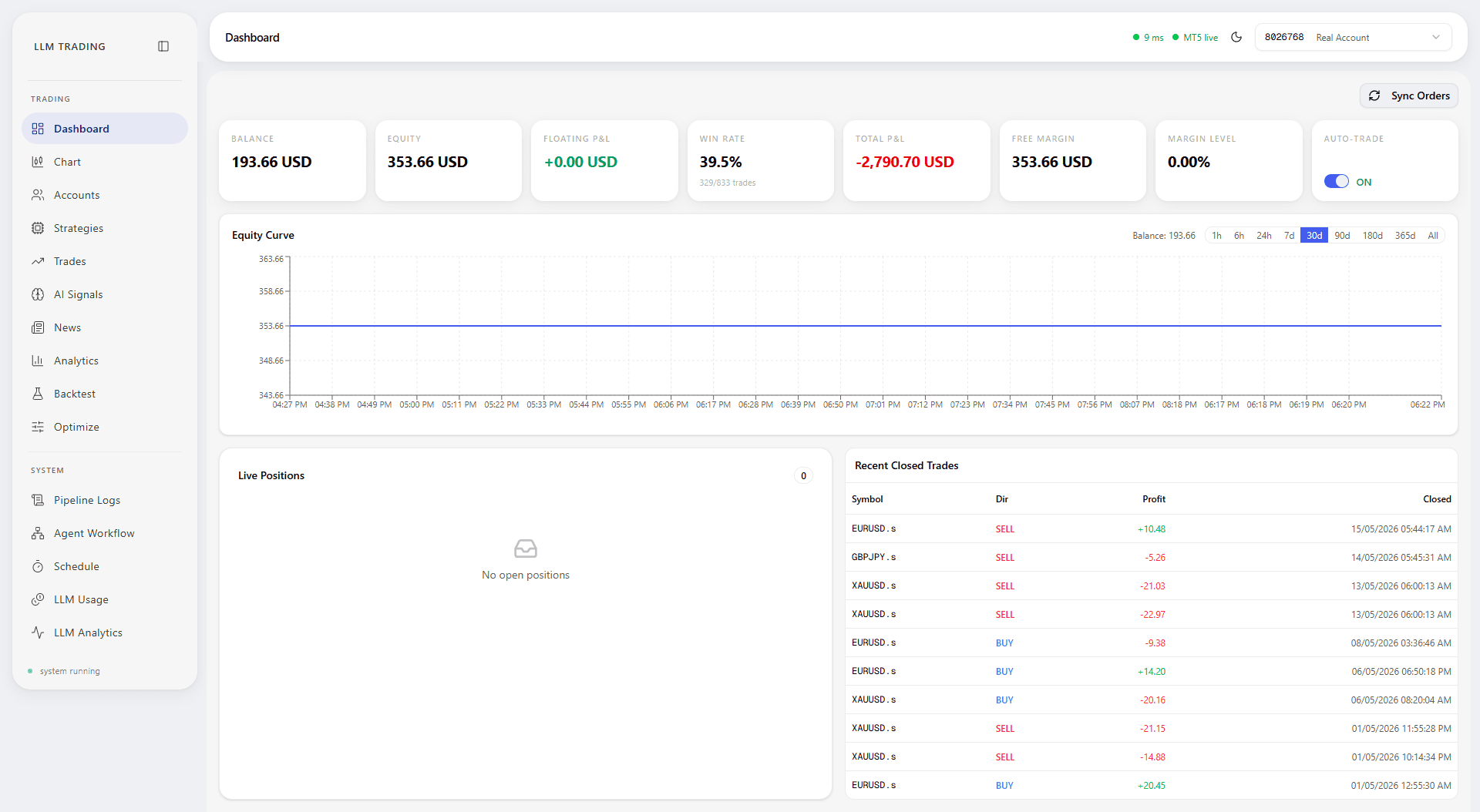
Dashboard
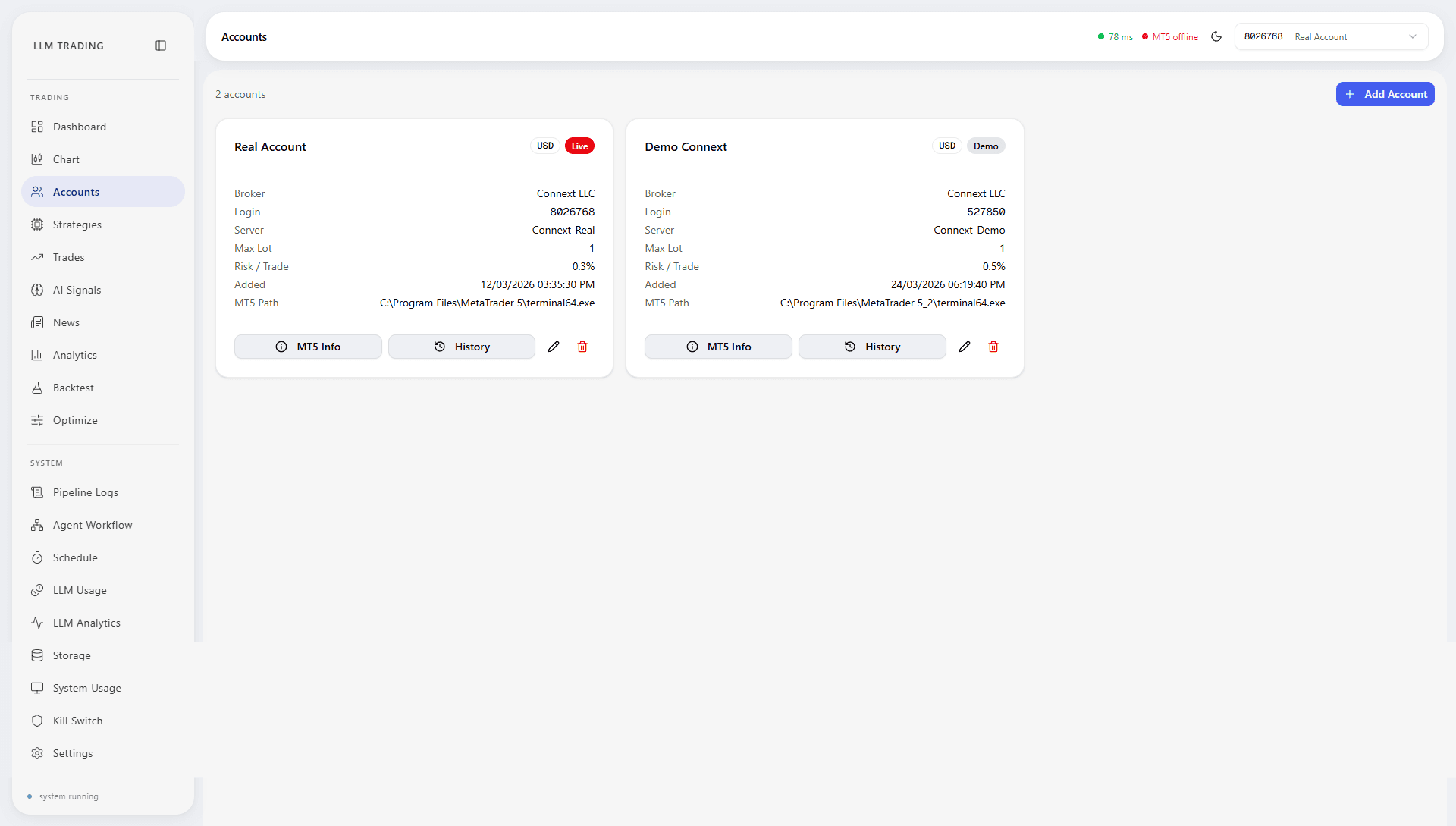
Accounts
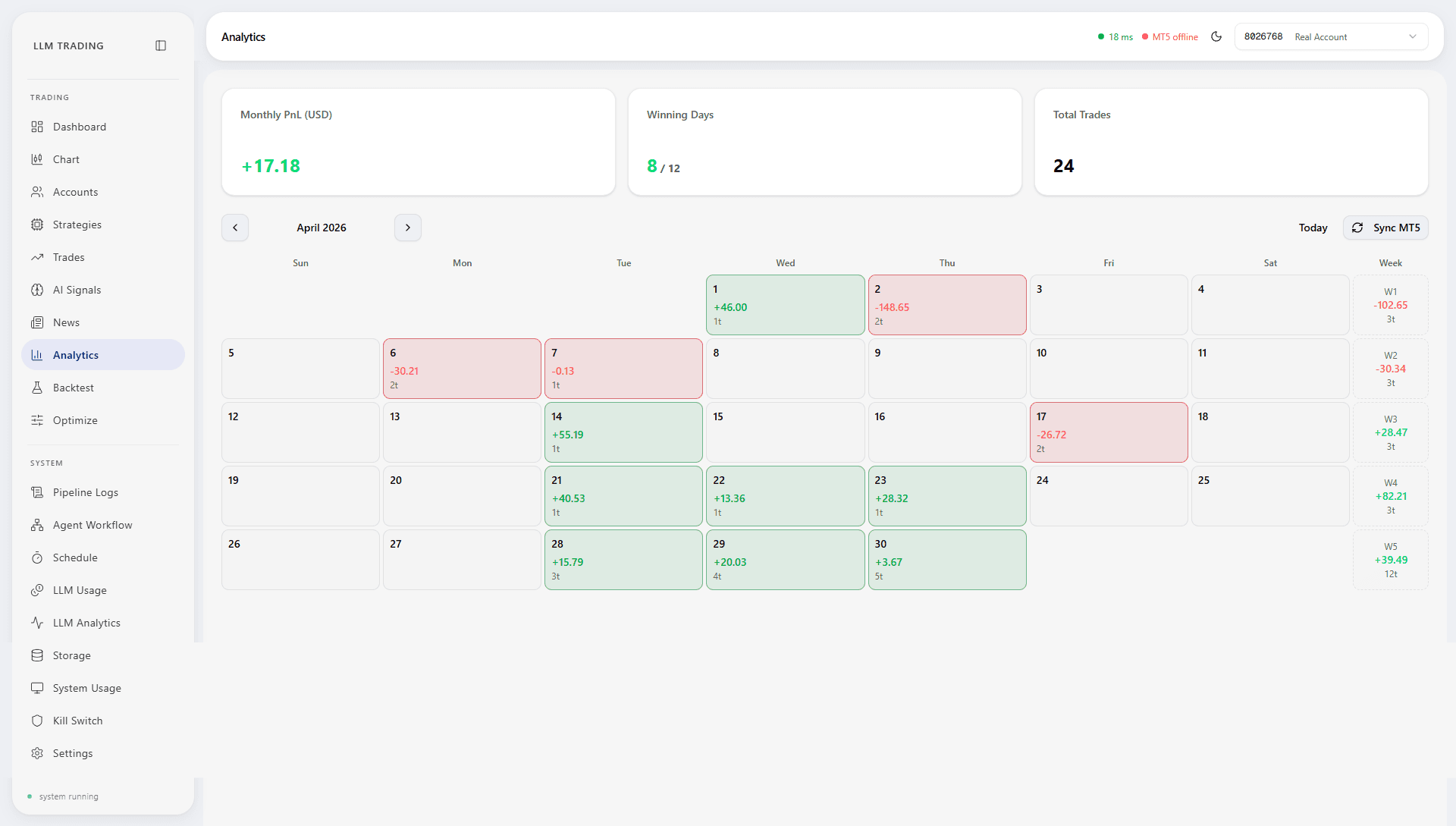
Analytics
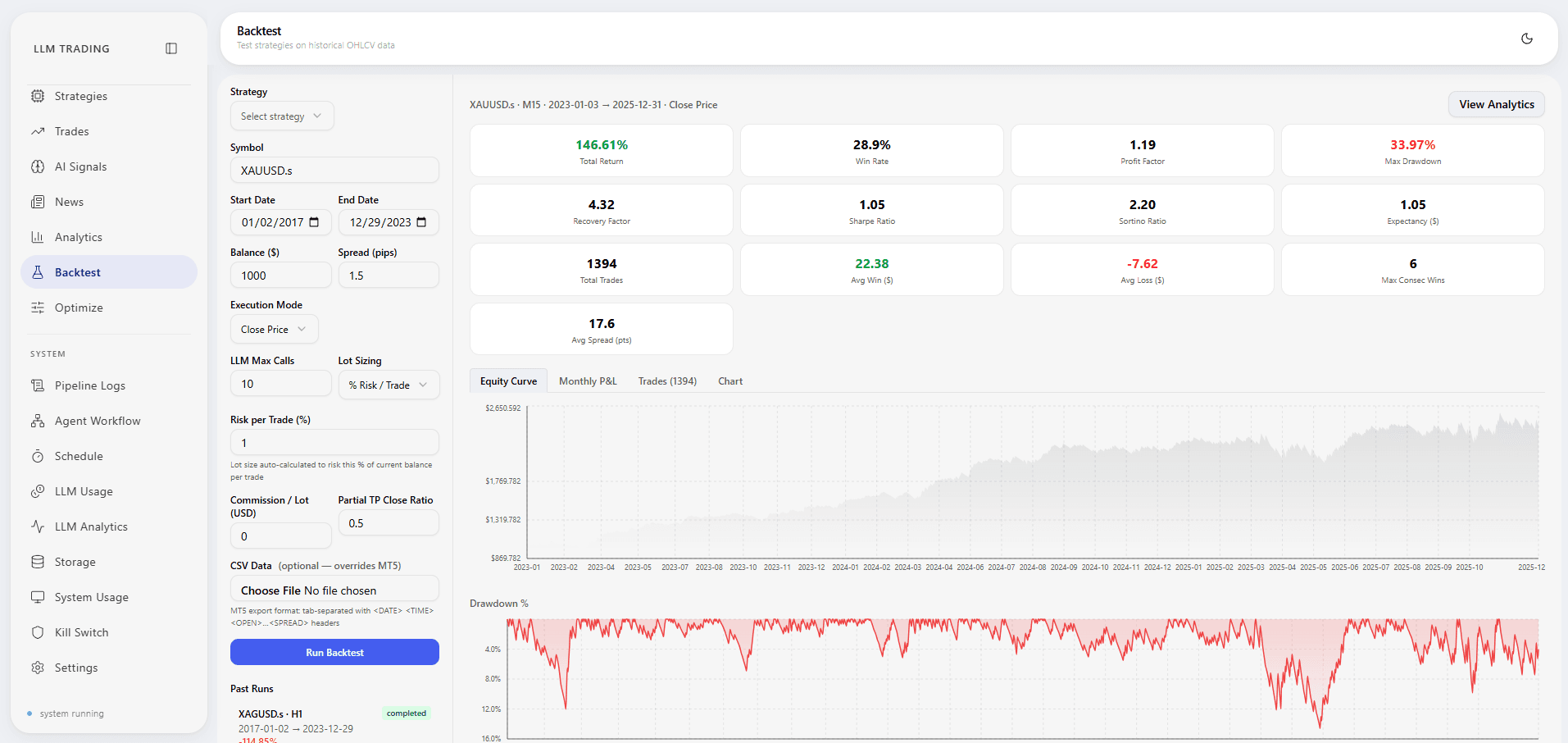
Backtest
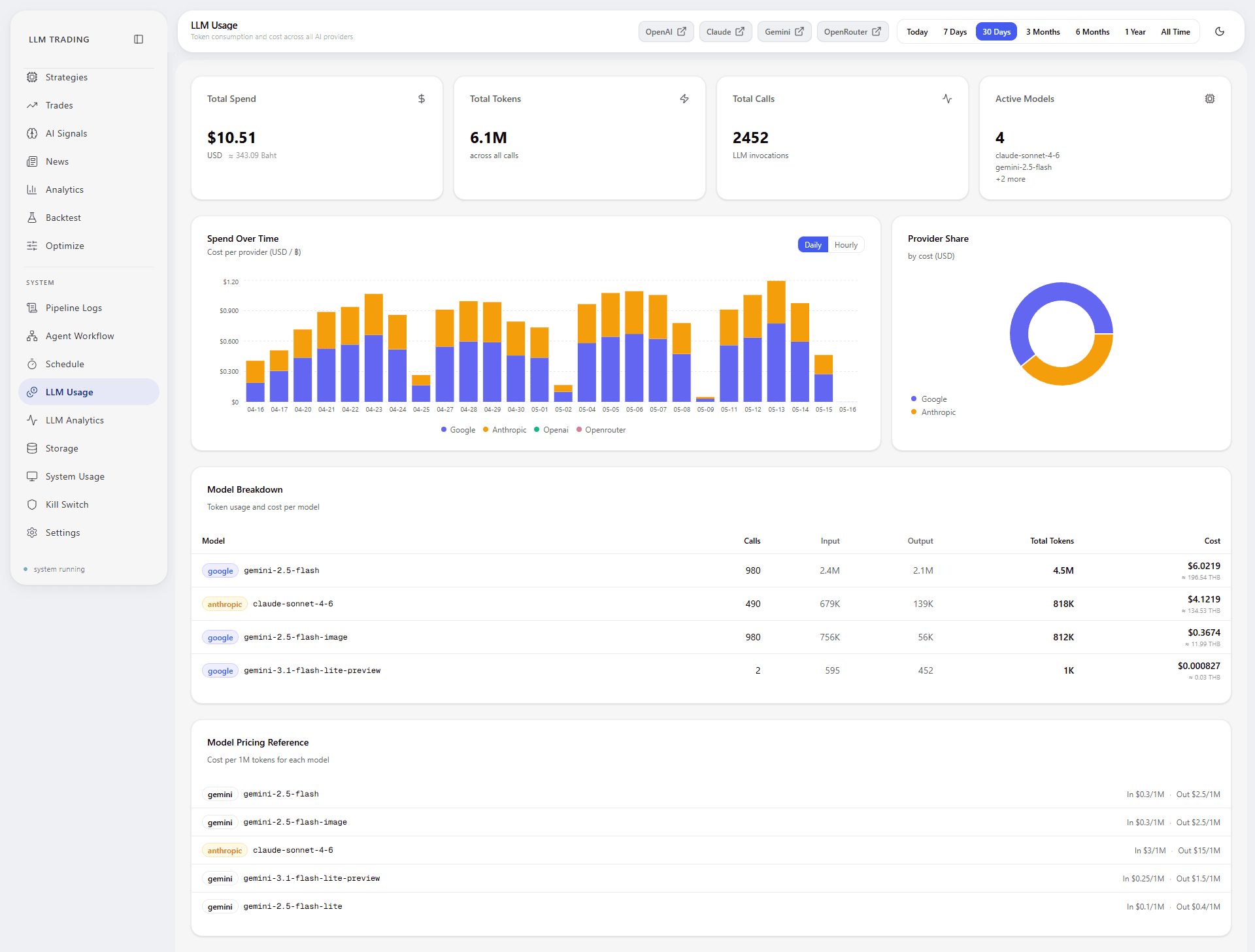
LLM Usage
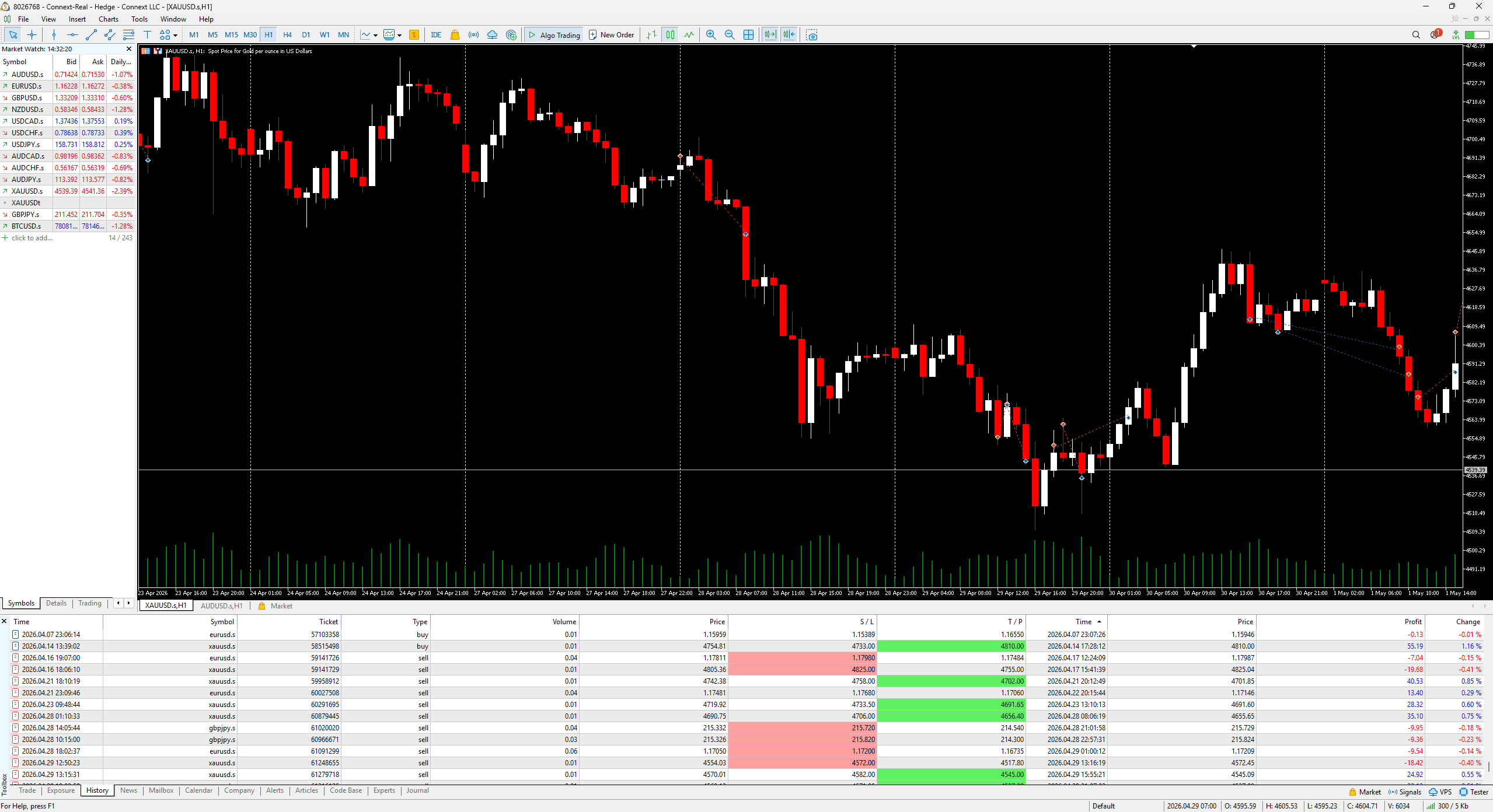
MT5 Terminal
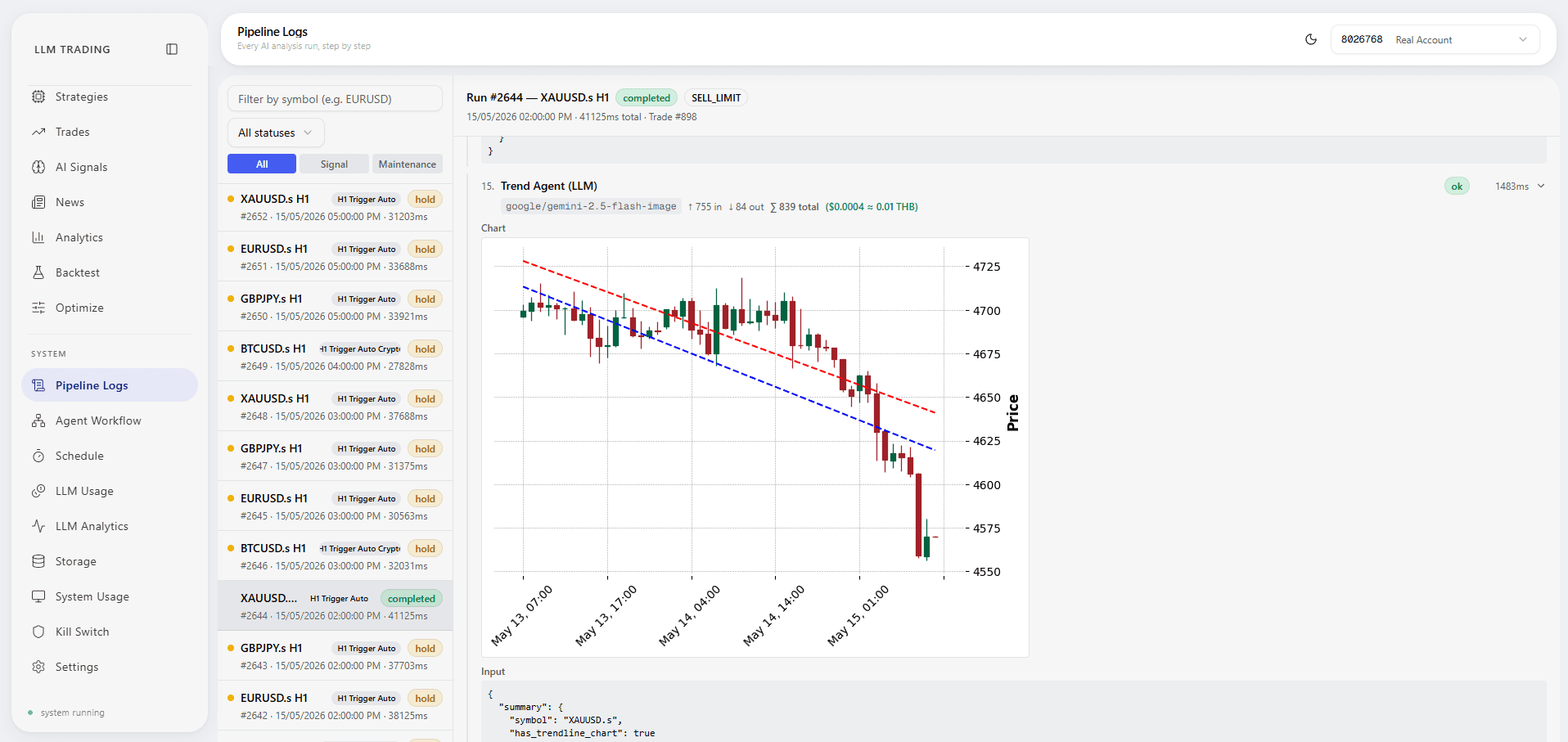
Pipeline Logs
What I'd Do Differently
Move to Celery with a Redis broker from the start. APScheduler is convenient for a single machine, but the moment a second instance needs to share the job queue — or a run needs to be offloaded to a worker process — it becomes a bottleneck. Designing around a message queue from day one would make horizontal scaling straightforward.
I'd also add authentication before building any features. The system currently has no auth layer — it's safe behind a firewall, but adding it retroactively across 27 pages and ~110 endpoints is a larger lift than wiring it in at route setup time.