n8n Stock Watchlist: Automated Target Price Tracking
Self-hosted n8n automation that polls Finnhub real-time prices, updates a Notion watchlist database, and sends a nightly email report — running on Synology NAS via Docker.
The Problem
Maintaining a personal stock watchlist manually meant checking prices across many tickers every day, comparing each to a target buy price, and trying to remember which had reached the level worth adding more of. There was no alert, no record, and no way to review the day's price moves at a glance. The goal was to replace that daily check with an automated nightly digest.
Notion as the Data Source
The watchlist lives in a Notion database. Each row represents one stock ticker, stores a target price (the level at which I want to buy more), and includes a formula field that flags whether the latest fetched price has reached or dropped below that target. The database doubles as the configuration source — adding or removing a ticker is just editing a row.
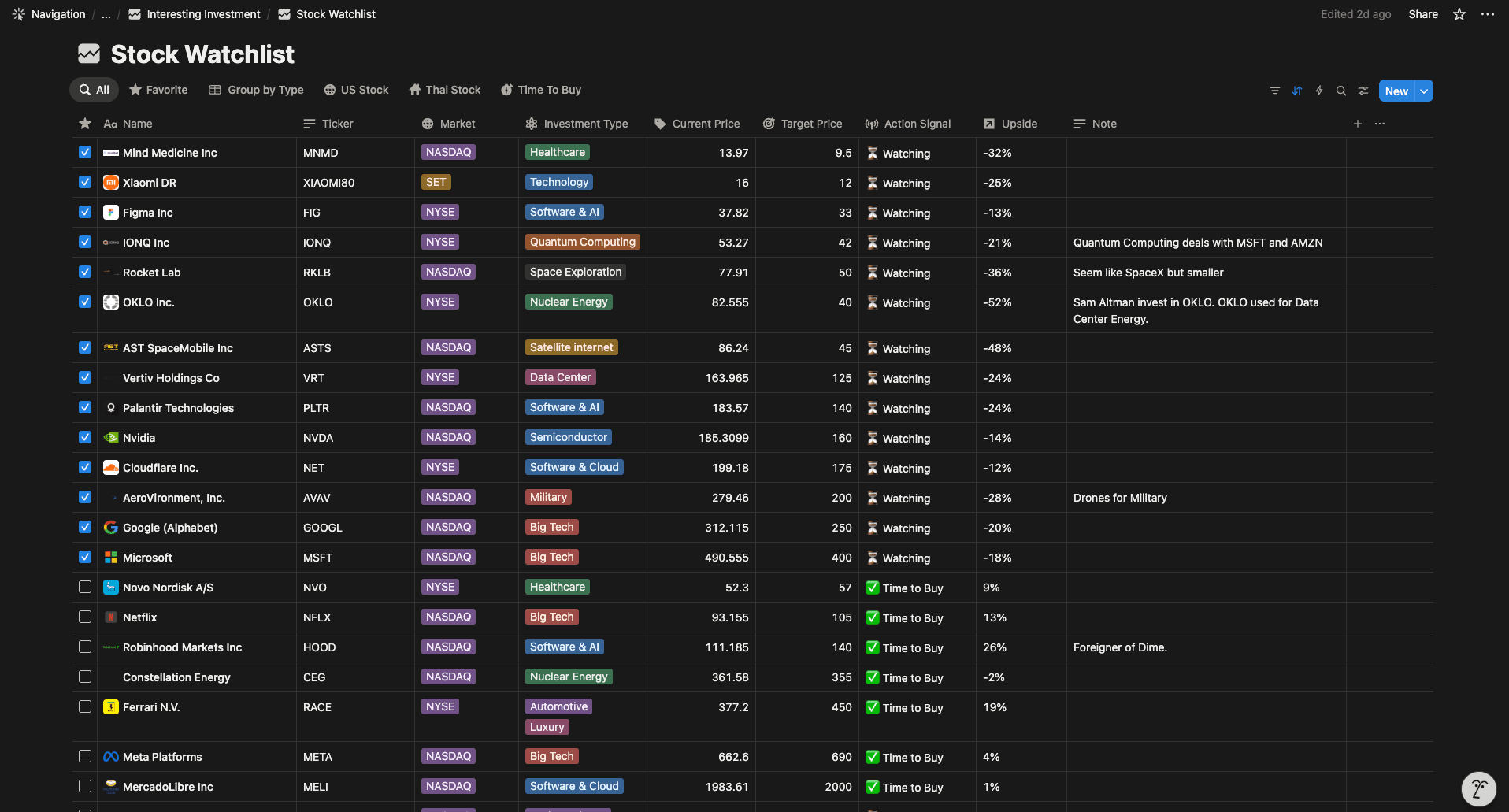
Stock watchlist database — tickers, target prices, and formula status
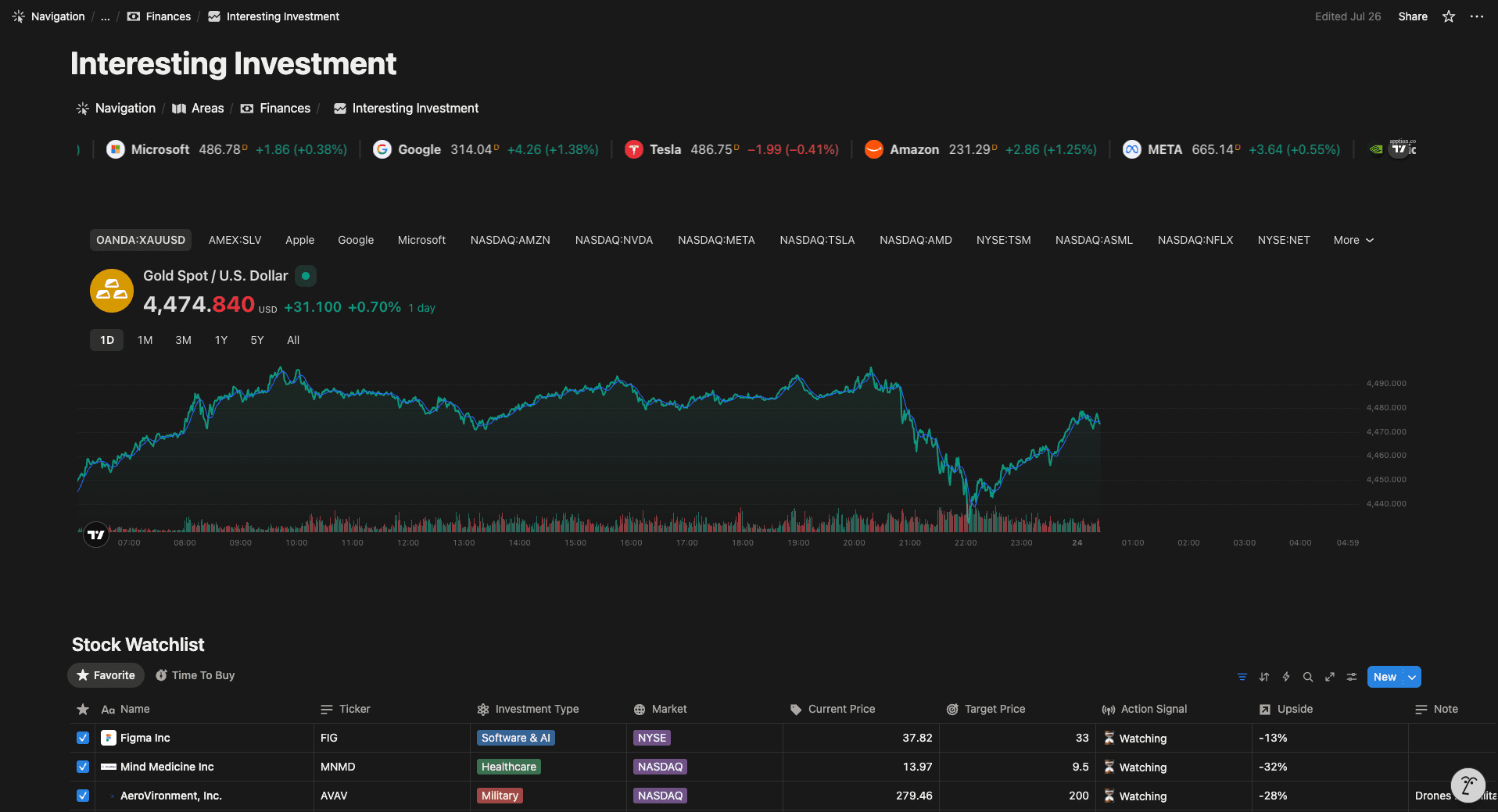
Notion dashboard view
Automation Workflow
n8n runs the full pipeline every weeknight at 22:00:
| Step | Action | Tool |
|---|---|---|
| 1 | Schedule trigger Mon–Fri 22:00 | n8n Schedule Trigger |
| 2 | Fetch all stock tickers + target prices | Notion API |
| 3 | Loop each ticker | n8n Loop node |
| 4 | Fetch real-time price | Finnhub API |
| 5 | Update price field in Notion row | Notion API |
| 6 | Send nightly summary email | n8n Email node |
The Finnhub API provides free real-time stock quotes. Each ticker gets its own API call inside the loop, with the result written back to the corresponding Notion row before moving to the next.
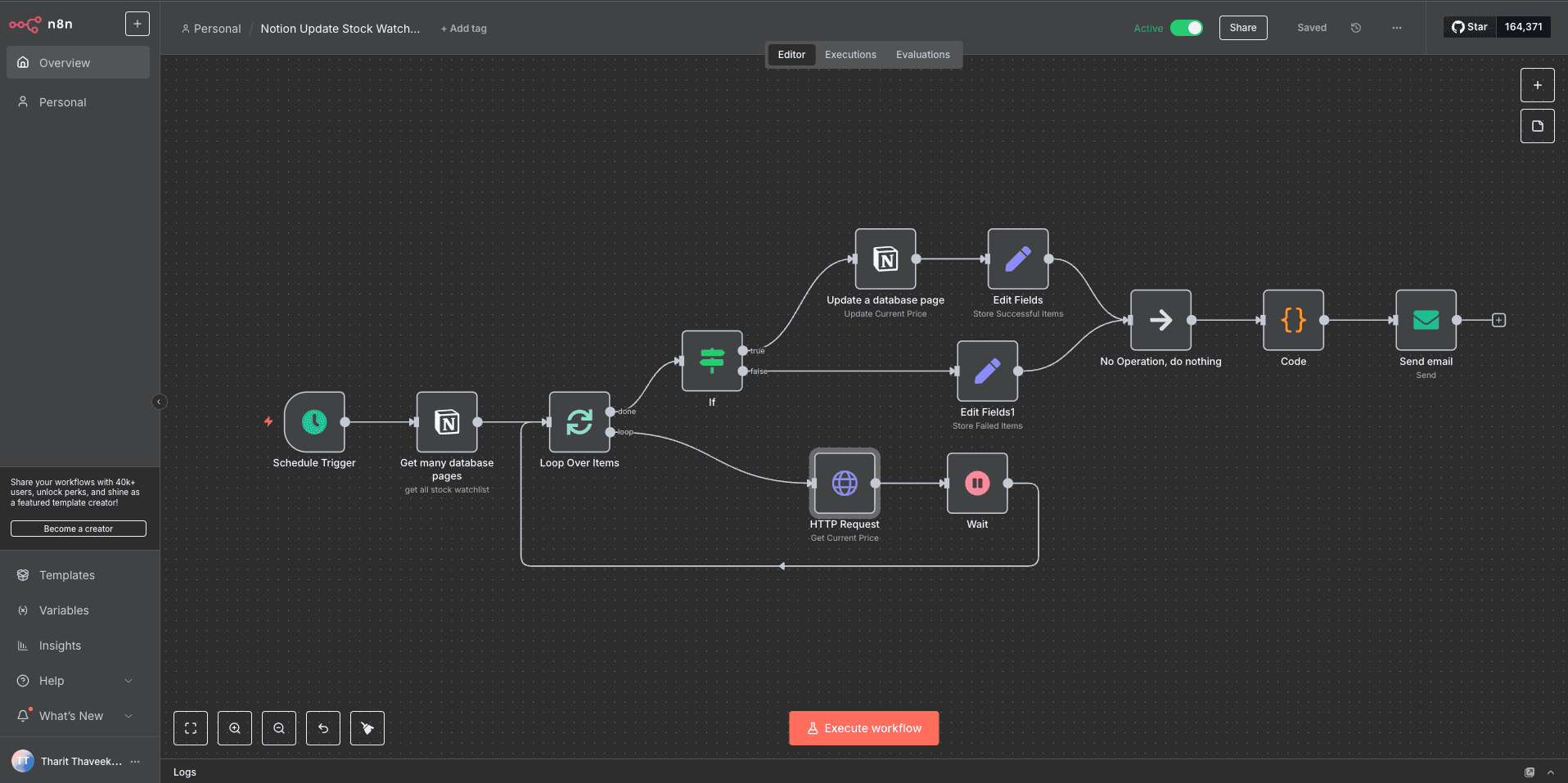
n8n workflow — schedule trigger, Notion fetch, price loop, and email
Self-Hosted Infrastructure
n8n runs as a Docker container using the official n8nio/n8n image, deployed on a Synology NAS through Synology Container Manager. The NAS runs 24/7, so the cron schedule fires reliably without any cloud dependency or running cost beyond the hardware already in use at home.

n8n container in Synology Container Manager
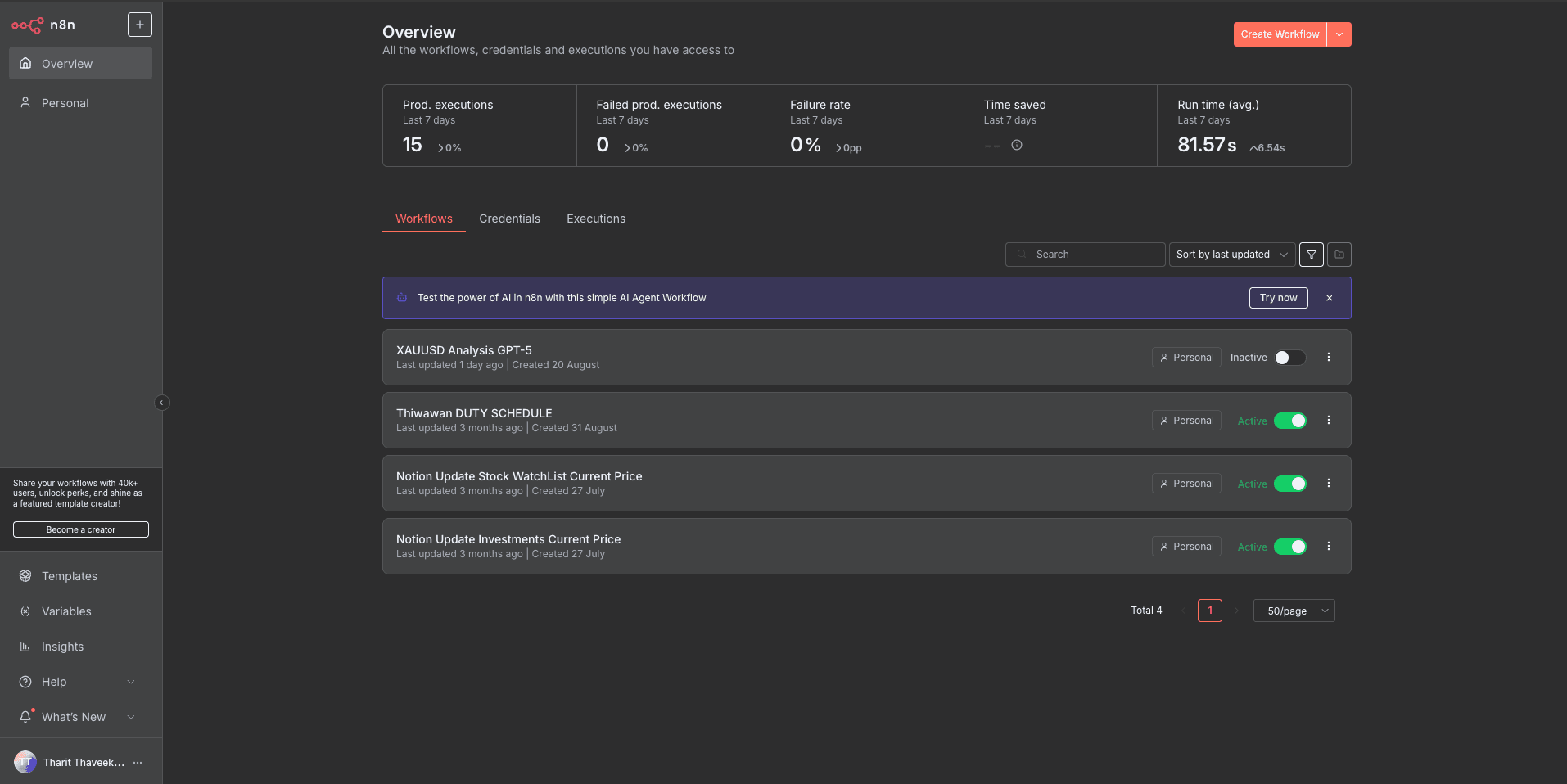
n8n dashboard
Daily Email Report
After all Notion rows are updated, n8n sends a summary email. The report lists each ticker with its latest price and target, so the full watchlist status is visible at a glance without opening Notion.
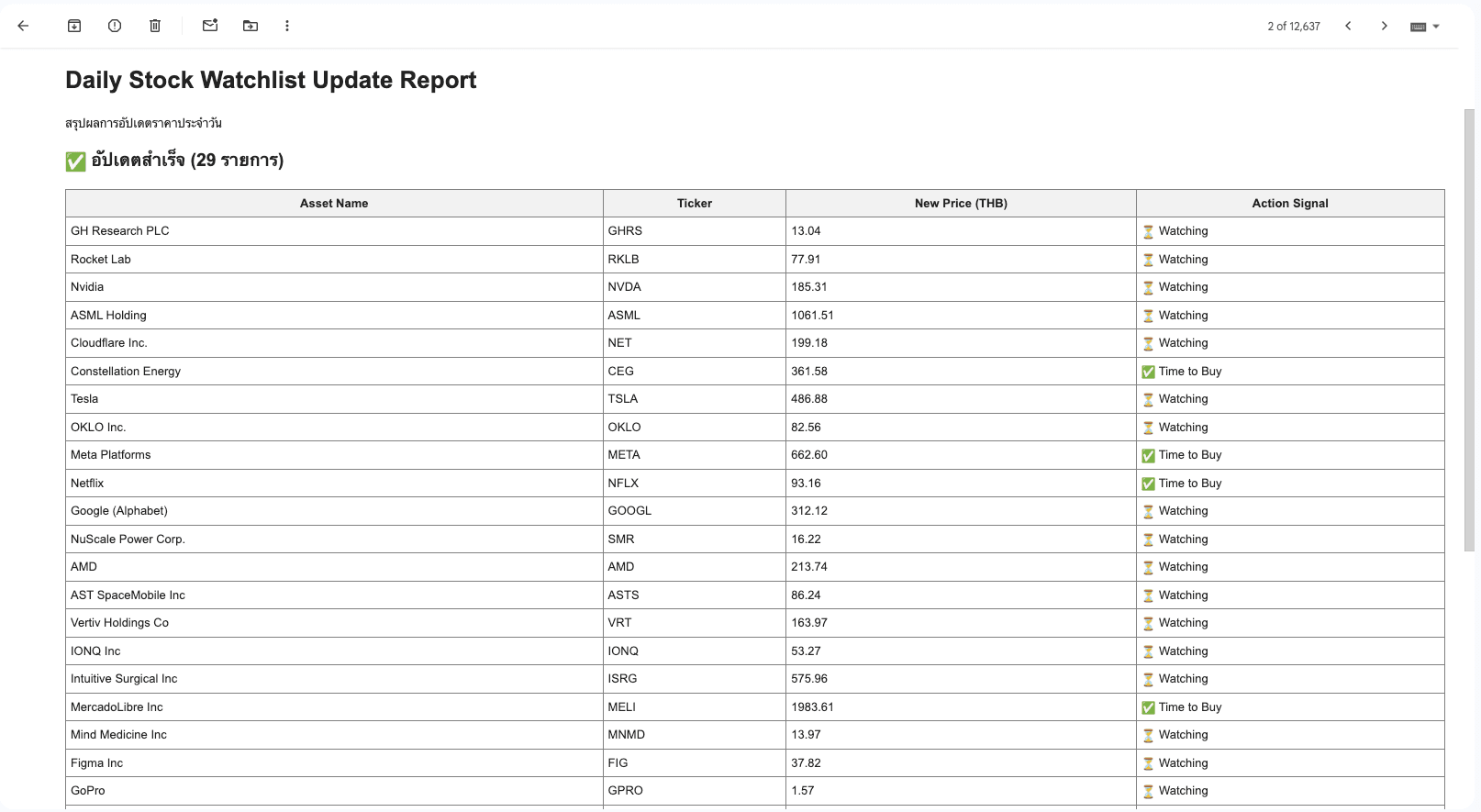
Nightly email report
What I'd Do Differently
Silent failures are the main risk: if Finnhub returns an error or a Notion write fails mid-loop, the workflow continues and the email still sends — but with stale or missing data and no indication something went wrong. Adding an error branch on each API call node with a Telegram or email alert would make failures immediately visible rather than discovered after the fact.