claude-mem: Claude Code That Actually Remembers
Claude forgets everything between sessions. claude-mem fixes that — and saves tokens while it's at it.
Every new Claude Code session, you start from zero. No memory of what you built last time, what broke, what decisions you made. For a quick one-off task that's fine. For a project you're actively working on, it's a tax you pay every single session.
claude-mem fixes this.
What is claude-mem?
It's a persistent memory layer for Claude Code. During your session, it captures everything — what you built, what failed, what decisions you made. At the start of the next session, it injects the relevant context back in automatically. Claude walks in already knowing the project.
It also ships a web interface at localhost:37777 where you can browse all your observations across sessions.
The numbers
This is what a session looks like after claude-mem is running:
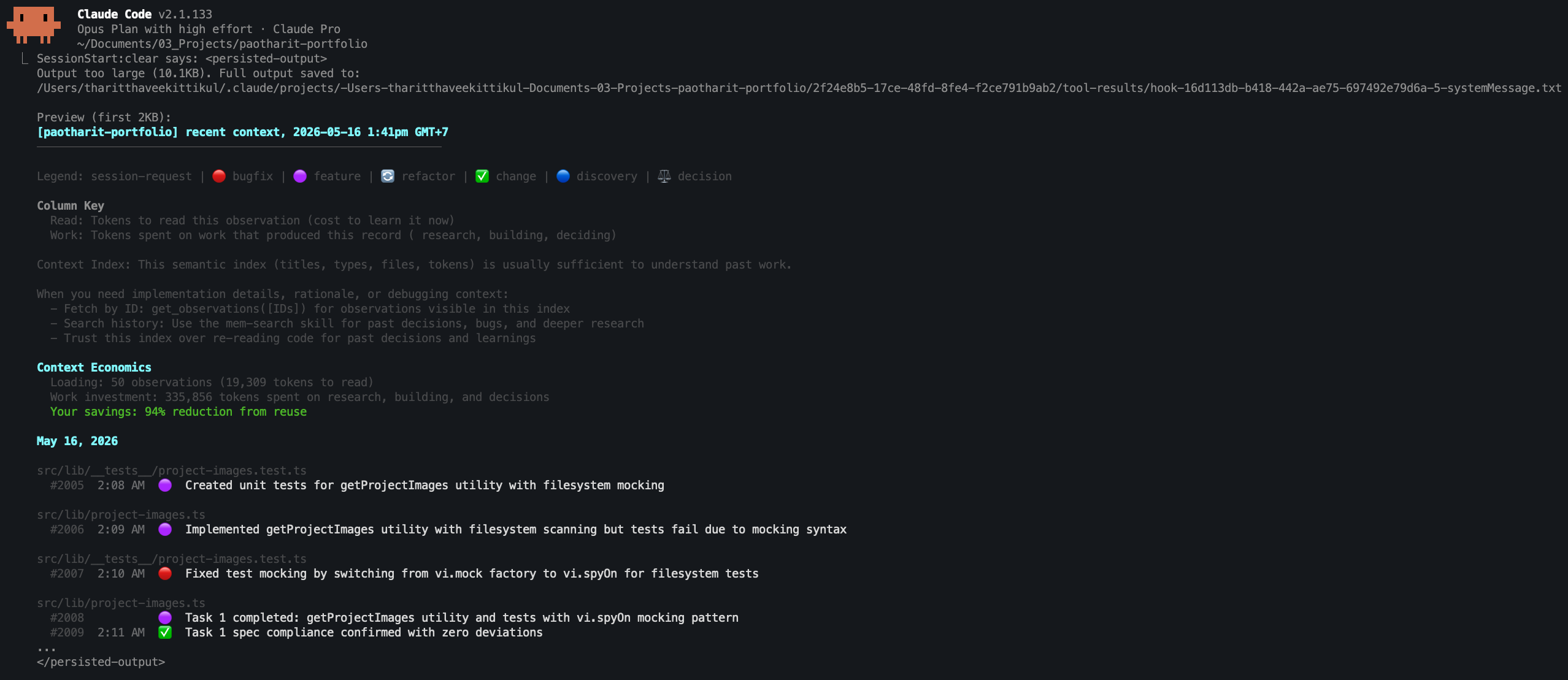
94% token savings from reuse. That's not a marketing stat — that's from the context index in my own session. Instead of re-explaining the codebase from scratch every time, Claude picks up where it left off.
The web interface
You also get a browser UI to explore and search your memory:
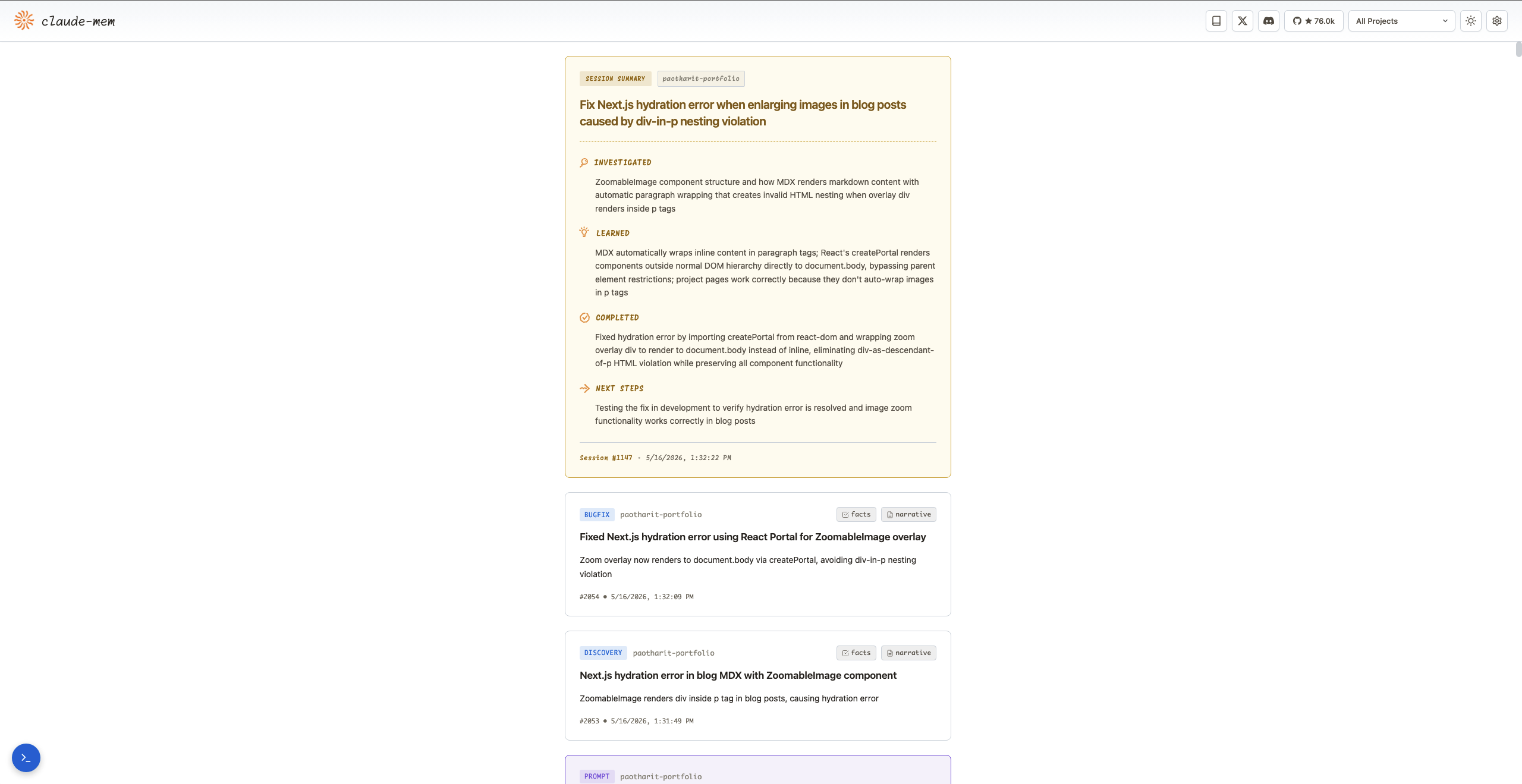
Each observation is tagged, searchable, and linked. When something breaks two weeks from now, you can look up exactly what you were doing the last time you touched that file.
How to set it up
Option 1 — From the terminal
npx claude-mem install
Option 2 — From inside Claude Code
/plugin marketplace add thedotmack/claude-mem
/plugin install claude-mem
Restart Claude Code. That's literally it. Memory starts accumulating from your next session.
Try it
github.com/thedotmack/claude-mem — 76k stars, actively maintained. One of those tools you install once and never think about again, except when you notice how much faster sessions feel.