RTK: How I Cut 67% of My Claude Code Token Usage
I didn't notice how many tokens CLI output was eating until I found RTK. Here's what it is, how it works, and how to set it up.
I was deep in a coding session with Claude Code when I noticed something — every time I ran grep, lint, or even ls, Claude was reading hundreds of lines of output. Not because it needed all of it. Just because that's what the shell returned.
Those tokens add up fast.
What is RTK?
RTK (Rust Token Killer) is a CLI proxy that sits between your shell commands and Claude Code. It filters and compresses verbose command output before it enters the context window. You don't change how you work — RTK rewrites commands transparently through a Claude Code hook.
Open source, written in Rust. Check it out at github.com/rtk-ai/rtk.
The numbers
After running RTK for a while, I ran rtk gain --graph to see what had actually happened:
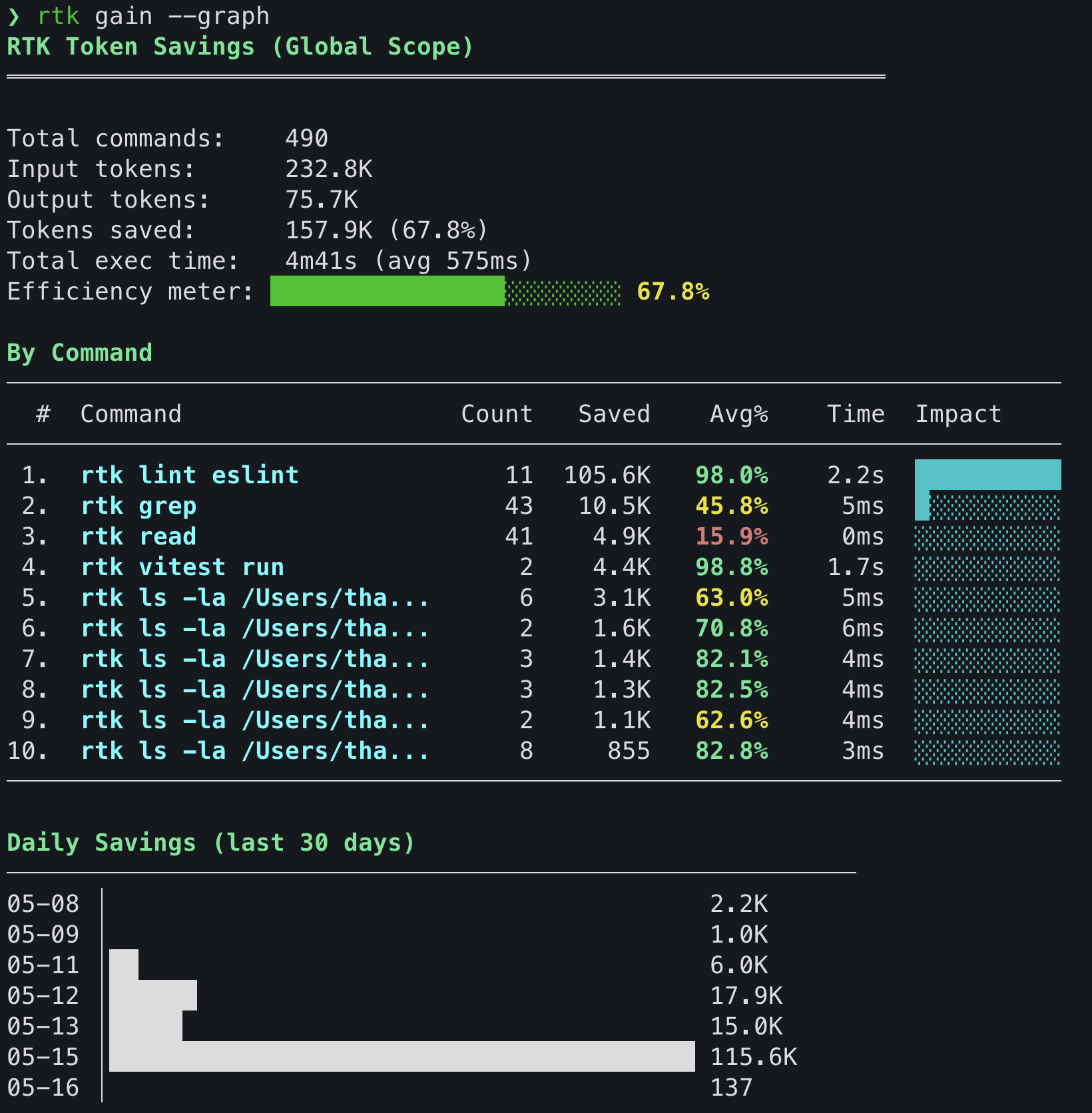
157.9K tokens saved. 67.8% efficiency. Across 490 commands, RTK was filtering out the noise before Claude ever saw it. rtk lint eslint alone saved 98% of its tokens. rtk grep saved 45%.
That's not a rounding error — that's most of the output just gone.
How it actually works
When you run a command, RTK intercepts it, runs it, then trims the output — removing empty lines, redundant paths, repetitive patterns — before returning a compact version to Claude.
git status → rtk git status → compact output → Claude reads less → you pay less
The hook wires this up automatically so you keep typing commands normally. Zero change to your workflow.
How to set it up
1. Install RTK
macOS
brew install rtk-ai/tap/rtk
Linux
curl -sSf https://raw.githubusercontent.com/rtk-ai/rtk/main/install.sh | sh
Windows
# Download the latest binary from the releases page and add it to your PATH
# https://github.com/rtk-ai/rtk/releases
All platforms also support installing from source if you have Rust installed:
cargo install rtk
2. Verify the install
rtk --version   # should print: rtk X.Y.Z
which rtk       # confirm the right binary
If rtk gain fails, you might have a different package called rtk installed (reachingforthejack/rtk — Rust Type Kit). Check which rtk and make sure it's the right one.
3. Wire it to Claude Code
Follow the hook setup in the RTK README. It's a one-time addition to your .claude/settings.json. After that, every Bash command Claude runs goes through RTK automatically.
4. Use Claude Code as normal
That's literally it. RTK runs in the background. After a session, check your savings:
rtk gain            # summary view
rtk gain --graph    # visual breakdown by command
rtk gain --history  # usage history over time
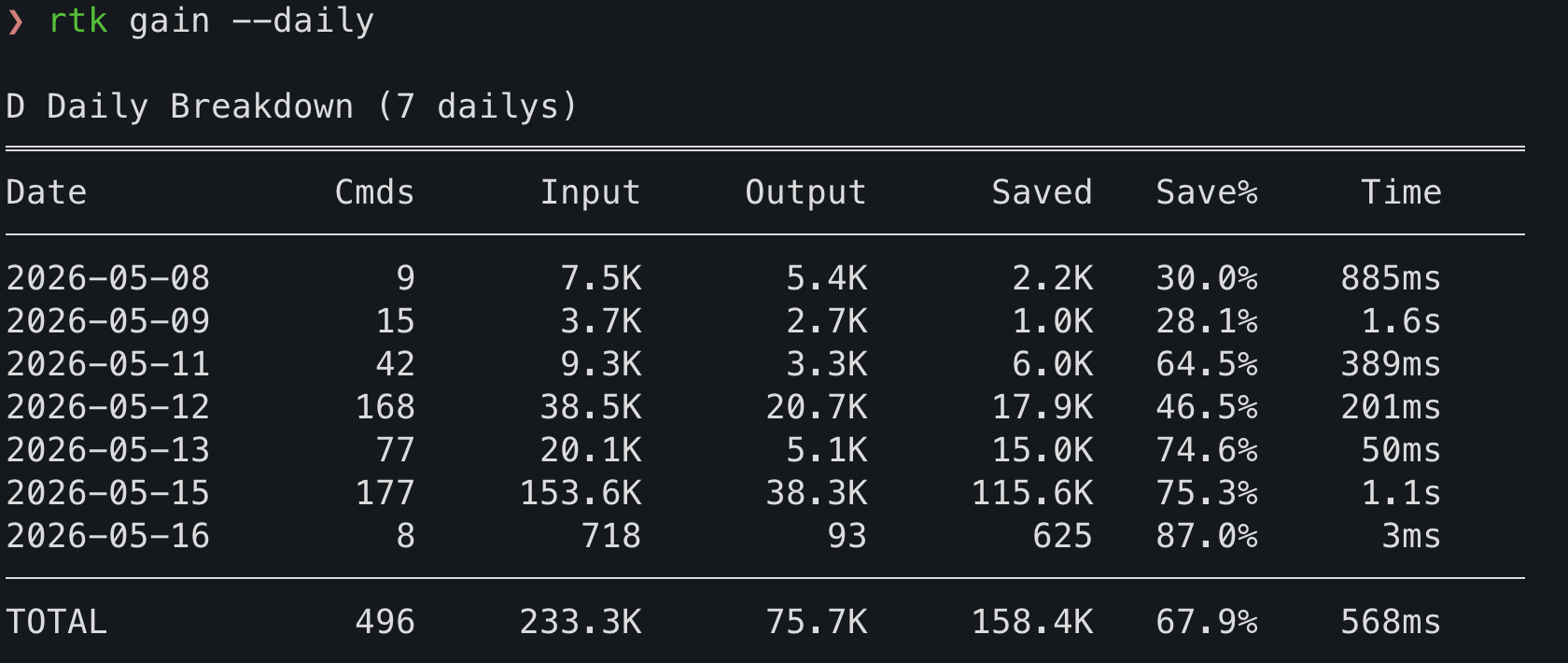
Here's what the daily breakdown looks like after a week:
Try it
Install it, use Claude Code for a week without changing anything, then run rtk gain --graph.
The number that shows up might surprise you. Mine did.